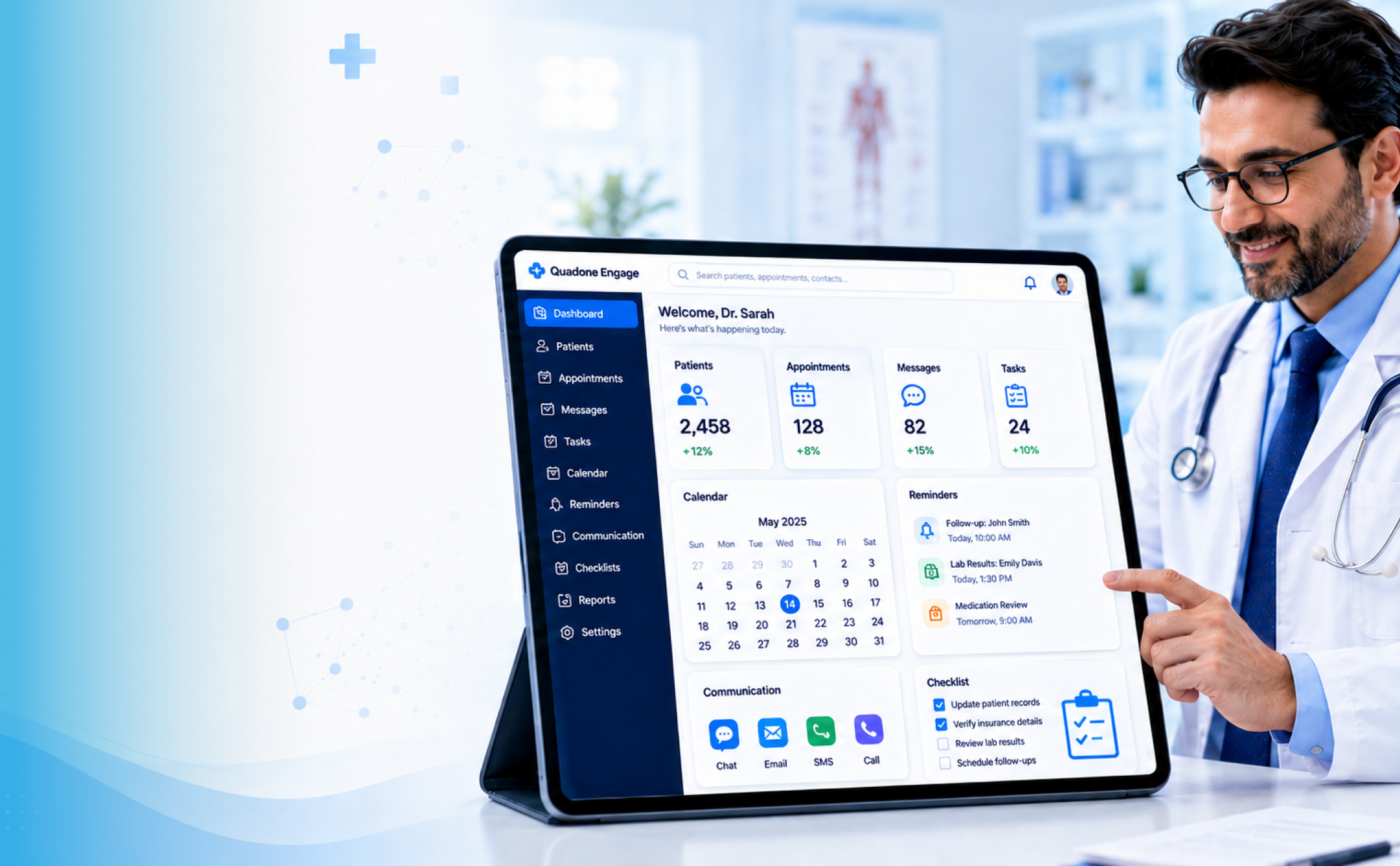
Healthcare CRM software helps hospitals and clinics manage patient communication, inquiries, appointments, follow-ups, campaigns, and retention workflows from one centralized system.
As patient interactions move across WhatsApp, calls, websites, SMS, email, walk-ins, and digital campaigns, healthcare teams need more than spreadsheets or disconnected tools. A healthcare CRM gives front-office, marketing, call center, and patient engagement teams a structured way to track every interaction and respond at the right time.
This guide explains what healthcare CRM software is, the features hospitals should evaluate, where it creates the most operational value, and how to choose the right CRM without confusing it with EHR, HIS, or generic sales CRM platforms.
Key Takeaways
- Patient communication becomes organized and easy to track, rather than scattered across channels.
- Faster responses mean fewer missed opportunities and better patient satisfaction.
- Automation reduces manual work and ensures no follow-up is missed
- Integration with hospital systems keeps data consistent and accessible
- Personalized communication helps build stronger patient relationships
- Marketing efforts become measurable and more effective
- Improves patient retention through consistent engagement
- Enhances overall efficiency, allowing staff to focus more on patient care
Healthcare CRM Software:
Healthcare CRM software is a patient relationship management system built for hospitals, clinics, and healthcare providers. It centralizes non-clinical patient interactions such as inquiries, communication history, appointment details, follow-ups, campaign responses, referral sources, and engagement activity.
Unlike a generic CRM, healthcare CRM software is designed around patient journeys, not sales pipelines. It helps healthcare teams manage appointment reminders, patient outreach, feedback collection, retention campaigns, and communication across channels such as WhatsApp, SMS, email, phone, and web forms.
Healthcare CRM vs EHR vs HIS: Where CRM Fits in Hospital Operations
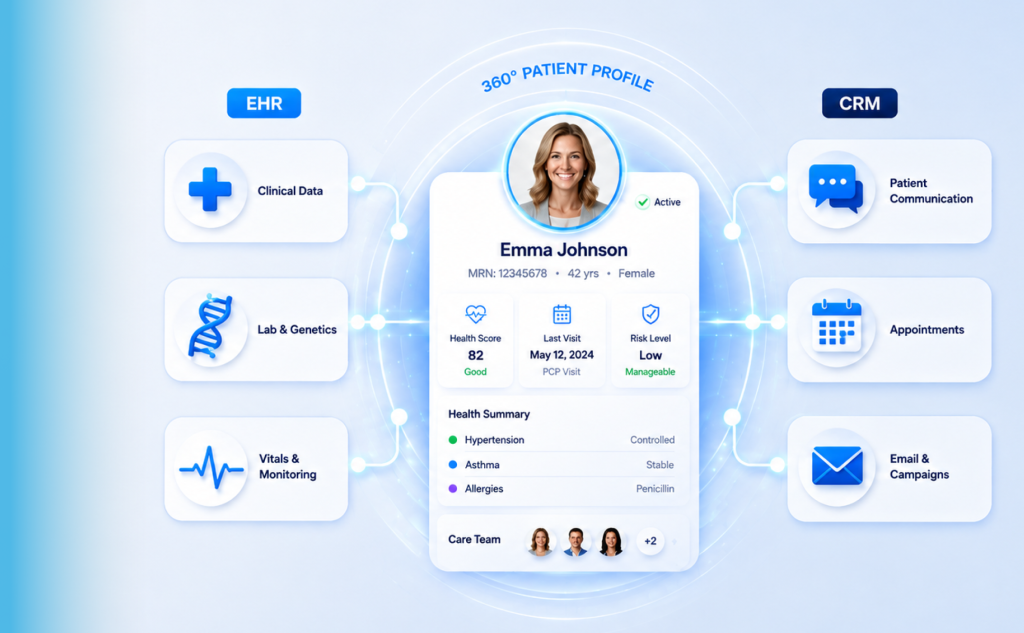
Healthcare CRM, EHR, and HIS systems often work together, but they are not the same. A CRM manages patient engagement and communication, an EHR manages clinical records, and an HIS manages broader hospital operations such as admissions, billing, inventory, and administration.
Understanding this distinction helps hospitals choose the right software for the right purpose and avoid expecting one system to solve every workflow problem.
| Aspects | CRM | EHR | HIS |
| Primary Focus | Patient engagement and relationship management | Clinical data & patient medical history | End-to-end hospital operations management |
| Core Users | Marketing teams, front desk, patient support, care coordinators | Doctors, Nurses, and Clinicians | Admin staff, management, finance, operations teams |
| Type of Data Managed | Communications, History, Inquiries | Diagnoses, lab results, prescriptions, vitals, clinical notes | Billing, inventory, staff records, admissions, discharge data |
| Patient Interaction | Reminders, follow-ups, campaigns, and outreach | Reactive (during consultation and treatment) | Indirect (Scheduling, Billing ) |
| Communication Tools | SMS, email, WhatsApp, call tracking, | Limited (mainly clinical documentation) | Minimal (mostly system-generated notifications) |
| Goal | Improve patient experience, retention, and engagement | Improve quality of care and clinical decision-making | Streamline hospital efficiency and administration |
For a deeper explanation of how CRM and EHR systems connect through real-time data flows, read our EHR-CRM integration guide.
Why Healthcare CRM Software Matters for Hospitals and Clinics in 2026
In 2026, hospitals and clinics are managing more digital patient touchpoints than ever. Patients submit inquiries through websites, WhatsApp, calls, email, paid campaigns, walk-ins, and referrals. Without a CRM, these interactions often remain scattered across different tools, teams, and spreadsheets.
Healthcare CRM software matters because it gives hospitals one system to track inquiries, assign follow-ups, automate reminders, measure campaign performance, and maintain a consistent communication history.
For growing healthcare organizations, CRM is not just a marketing tool. It becomes an operational layer that helps teams respond faster, reduce missed follow-ups, improve appointment conversion, and retain patients through structured engagement workflows.
A few Key Challenges that are major obstacles:
- Disconnected Patient Communication Channels:
Patient interactions are spread across multiple channels such as WhatsApp, SMS, calls, and email, making it difficult to track conversations in one place. - Delayed Patient Inquiry Handling:
Patient inquiries are not responded to promptly, leading to missed opportunities and reduced patient satisfaction. - Lack of Automated Appointment Reminders:
Appointments rely on manual reminders, increasing the chances of no-shows and missed follow-ups. - Difficulty in Retaining Patients:
Without consistent engagement and follow-ups, healthcare providers struggle to maintain long-term relationships with patients.
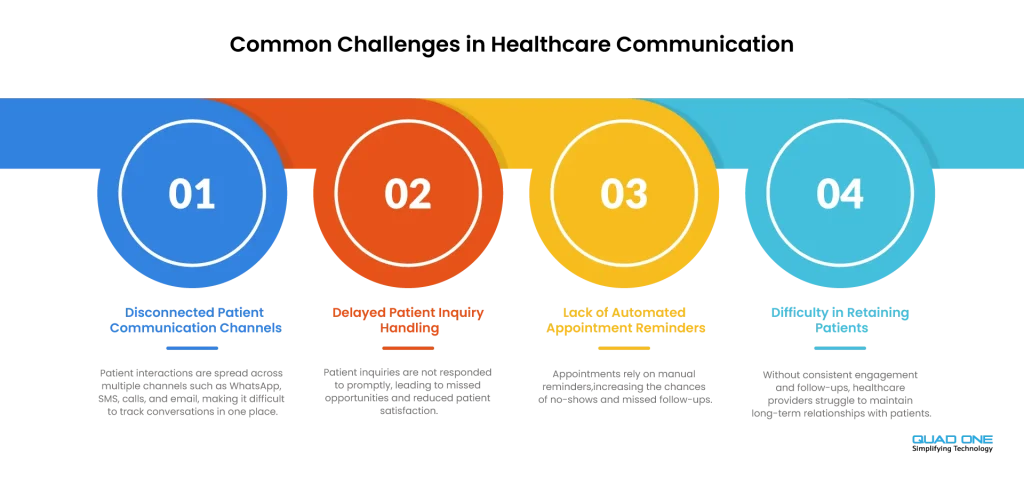
As the expectations of the patients continue to rise, healthcare providers must find smarter ways to manage interactions. Hospitals and clinics find it difficult to manage the scattered system. In this case, CRM makes a difference. Below is the table that states the difference between management with and without CRM.
| Aspects | With CRM | Without CRM |
| Patient Communication | Scattered across calls, WhatsApp, email, and walk-ins | Unified communication in one platform |
| Inquiry Management | Delayed or missed responses | Instant tracking and timely replies |
| Appointment Scheduling | Manual booking, prone to errors | Automated scheduling with reminders |
| Follow-ups | Inconsistent, often forgotten | Automated and timely follow-ups |
| Patient Data Management | Data stored in multiple systems or spreadsheets | Centralized and organized patient records |
| Patient Experience | Disconnected and repetitive interactions | Personalized and seamless experience |
Core Benefits of Healthcare CRM Software
Healthcare CRM software is not just a contact database. When implemented well, it supports patient acquisition, communication, appointment conversion, retention, and operational visibility. The following benefits show where hospitals usually see the most practical impact.
Faster Patient Inquiry Response
When a patient submits a query through your website at 9 PM, who owns it by morning? Without a CRM, the answer is often nobody, or whoever notices it first. Healthcare CRM centralizes every incoming inquiry from web forms, phone calls, WhatsApp, SMS, and social ads into a single queue. Each inquiry is automatically assigned to the right team member with a defined follow-up window and status tracking.
Alert mechanisms notify staff when a patient has not received a response within a set timeframe, preventing inquiries from slipping through. The result: faster first contact, better patient perception, and higher conversion before the patient moves on.
Better Appointment Conversion
An inquiry is not an appointment. Most hospitals lose patients somewhere between the first contact and the confirmed booking. Healthcare CRM reduces that gap by routing inquiries to the right department, triggering automated follow-up tasks, and sending confirmation and reminder messages that keep patients engaged in the booking process.
Teams can see exactly where each inquiry stands, whether it is awaiting a callback, pending document submission, or stalled at the payment stage. That visibility directly translates into higher appointment conversion rates.
Improved Patient Engagement
Healthcare CRM allows hospitals to personalize communication based on department, treatment interest, appointment history, campaign source, and patient stage.
This means relevant pre-appointment guidance, department-specific education content, and post-visit touchpoints that feel timely and useful rather than generic. Patients who feel heard and informed are more likely to stay engaged with their care journey.
Reduced Missed Follow-Ups
Manual follow-up tracking spreadsheets, sticky notes, and memory fail at scale. It is not a question of team effort; it is a question of system design. Healthcare CRM automates follow-up task creation at every key stage: after an inquiry, after a consultation request, after an appointment confirmation, and after discharge.
Staff receive structured task lists with due dates, not a pile of emails to sort through. Automation handles routine follow-ups like appointment reminders and post-visit check-ins, freeing the team to focus on complex cases that require human attention.
Better Marketing ROI Tracking
Most hospital marketing teams can tell you how many leads a campaign generated. Far fewer can tell you how many of those leads became confirmed appointments that contributed to revenue. Healthcare CRM connects campaign source to inquiry, inquiry to appointment, and appointment to department-level outcomes.
This attribution data helps marketing teams make smarter channel decisions, pause underperforming campaigns, and double down on sources that convert. It changes marketing from a cost centre to a measurable growth function.
Stronger Patient Retention
Retaining existing patients is significantly more cost-effective than acquiring new ones. Healthcare CRM supports retention through preventive care reminders tied to appointment history, structured feedback workflows that capture satisfaction while it is still actionable, and reactivation campaigns for patients who have not visited in a defined period. These are not one-off campaigns; they are systematic, repeatable workflows that keep the hospital connected to patients between visits.
Key Features of Healthcare CRM Software
Not every CRM built for healthcare delivers on every capability. The following nine features define what a purpose-built healthcare CRM should offer and what hospitals should evaluate before making a selection.
1. Patient Inquiry Management
Patient inquiries arrive through a wide range of channels: website forms and landing pages, phone calls, WhatsApp and SMS messages, email, social media ads, walk-ins, referrals, and healthcare campaigns. A healthcare CRM must capture all of them in a unified inbox, not spread across multiple tools and inboxes.
Every inquiry should carry five pieces of information at minimum:
• Source – where the inquiry came from
• Owner -who is responsible for follow-up
• Status -where it stands in the pipeline
• Next action – what needs to happen and by when
• Follow-up history – a complete record of every interaction
2. Omnichannel Patient Communication
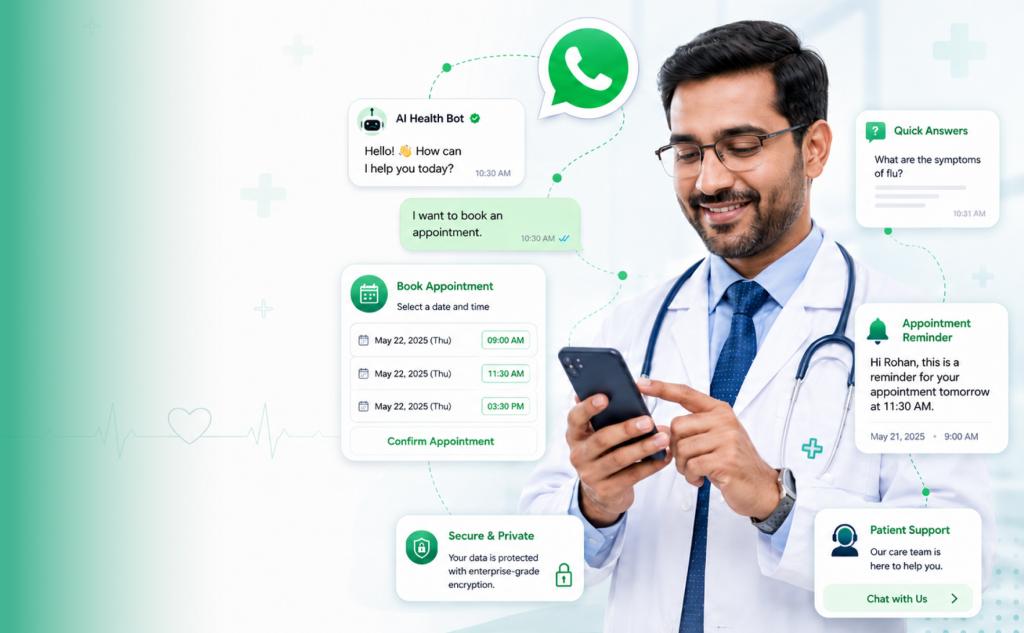
Patients communicate through the channels they prefer, not the ones hospitals find convenient. A strong healthcare CRM provides unified communication across WhatsApp, SMS, email, phone, and chatbot with a complete conversation history accessible in one place.
Key capabilities to look for include:
• Two-way messaging across channels so patients can respond, not just receive
• Missed-call follow-up automation that converts unanswered calls into tracked inquiries
• Phone call tracking so call outcomes are logged in the patient record
• A unified communication history visible to every authorized team member
• Chatbot-assisted initial inquiry handling for after-hours coverage
3. Appointment Management and Follow-Up Automation
Appointment-related operations from the initial request to the post-visit follow-up involve multiple handoffs, and manual coordination at each step is a significant source of errors and no-shows. Healthcare CRM automates the critical steps:
• Tracking appointment requests and their confirmation status
• Sending confirmation messages immediately after booking
• Automating appointment reminders at set intervals before the date
• Triggering rescheduling workflows when a patient needs to change the time
• Following up on no-shows with a re-engagement message
• Initiating post-appointment follow-up for feedback, results communication, or next steps
4. Patient Segmentation
Effective patient communication depends on knowing who you are talking to. Healthcare CRM should support segmentation across multiple dimensions so hospitals can tailor every message, campaign, and follow-up sequence to the right group:
• Department and specialty
• Geographic location or hospital branch
• Treatment interest or inquiry type
• New vs. returning patient status
• Campaign source (which ad, channel, or referral partner brought them in)
• Appointment status (pending, confirmed, no-show, completed)
• Follow-up stage in the pipeline
5. Healthcare Marketing Automation
Marketing automation in healthcare goes beyond sending bulk emails. A purpose-built healthcare CRM supports structured, triggered workflows that run in the background without requiring manual activation every time.
• Automated lead nurturing sequences for prospects who have not yet converted
• Campaign follow-ups triggered by specific patient actions or non-actions
• Health checkup and preventive care reminders based on appointment history
• Specialty-specific campaigns targeting relevant patient segments
• Reactivation campaigns for patients who have not visited in a defined period
• Patient feedback requests are sent automatically after appointments
6. EHR, EMR, HIS, and Billing Integration
A CRM that operates in isolation from clinical systems has limited value. Healthcare CRM becomes significantly more powerful when it integrates with the hospital’s existing infrastructure:
• EHR and EMR integration to sync patient records and appointment history
• HIS integration for operational visibility across the hospital
• Appointment system integration to avoid duplicate booking and data entry
• Billing and payment system integration to track revenue against inquiries
• Lab and diagnostic system integration for post-visit result communication
7. Reporting and Analytics
Operational data is only useful if it is accessible and actionable. Healthcare CRM reporting should cover the full patient journey, not just top-of-funnel metrics:
• Inquiry source reports showing which channels drive the most leads
• Campaign performance tracking from reach to confirmed appointment
• Appointment conversion rate by department, doctor, and campaign
• No-show rates and follow-up effectiveness
• Patient retention and reactivation reports
• Location-wise performance for multi-branch hospitals
8. Security, Privacy, and Role-Based Access
Patient data is among the most sensitive data a hospital manages. Healthcare CRM must include robust controls that protect it at every layer:
• Role-based access control ensuring staff see only what is relevant to their function
• User-level permissions configurable by department, location, and data type
• Audit logs recording who accessed or modified each patient record
• Consent tracking to document patient communication preferences
• End-to-end encryption for data in transit and at rest
• Secure login with multi-factor authentication
9. AI and Automation Capabilities
AI capabilities in healthcare CRM are maturing quickly. The most practical applications today are focused on reducing manual work and improving response quality, not replacing clinical judgment:
• AI-based inquiry routing that assigns leads to the right team member automatically
• Automated response suggestions to help staff reply faster and more consistently
• Chatbot-assisted inquiry handling for initial engagement and data collection
• Lead prioritization that surfaces high-intent inquiries for immediate attention
• Conversation summaries that reduce the time staff spend reviewing long message threads
Healthcare CRM Software Use Cases
Understanding what a healthcare CRM can do in theory is one thing. Seeing where it delivers measurable impact in day-to-day hospital operations is another. The following use cases represent the most common and high-value applications.
Patient Acquisition
Healthcare CRM captures and tracks every incoming lead regardless of source: digital campaigns, hospital website, referrals, call centre, or walk-in registration. Each inquiry is logged with its source, routed to the right team, and entered into a follow-up workflow. Marketing teams can track which campaigns are generating inquiries that actually convert into appointments, not just clicks.
Appointment Booking
The gap between a patient expressing interest and sitting in a consultation room is where most conversions are lost. CRM bridges that gap by triggering reminders, enabling easy rescheduling, following up on patients who have not confirmed, and alerting staff to pending appointments that need attention. The booking process becomes a managed workflow rather than a series of manual touchpoints.
Patient Engagement
CRM supports structured communication at every stage of the care journey: pre-appointment preparation guidance, information sharing during the treatment pathway, and post-visit follow-up. When communication is personalized based on department, treatment type, and patient history, engagement rates improve, and patients report higher satisfaction with the overall care experience.
Preventive Health Campaigns
Preventive care is a significant growth area for hospitals willing to engage patients proactively. CRM enables targeted campaigns for annual health checkups, vaccination drives, screening programmes, and wellness packages. These campaigns can be segmented by age, past visit history, geographic area, and department, ensuring the message reaches the patients most likely to respond.
Post-Visit Follow-Up
Post-visit communication is often the most neglected part of the patient journey. Healthcare CRM automates follow-up after consultations, procedures, diagnostic visits, and discharge, checking on the patient, sharing next steps, collecting feedback, and prompting the patient to book a follow-up appointment if needed. This consistency strengthens trust and significantly increases the likelihood of the patient returning.
Patient Retention and Reactivation
Patients who visited once and have not returned are not lost; they are dormant. CRM can identify patients who have been inactive for a defined period and trigger reactivation campaigns with a relevant and timely message. Whether it is a reminder about a scheduled annual checkup or a follow-up on a previous treatment, these automated outreach efforts can re-engage patients with minimal manual effort.
Referral Management
Referrals from doctors, corporates, insurance providers, or partner organizations represent a high-trust, high-conversion inquiry channel. Healthcare CRM tracks every referral by source, monitors follow-up status, and measures conversion rates by referral partner. This gives hospital business development teams the data they need to nurture and expand their most productive referral relationships.
How to Choose Healthcare CRM Software
Choosing the right healthcare CRM system is not just a technology decision; it directly impacts how efficiently your hospital or clinic manages patient relationships, inquiries, and overall experience. Whether you’re evaluating a CRM for hospitals or a CRM for clinics, a structured approach helps you select software that truly fits your operational needs.
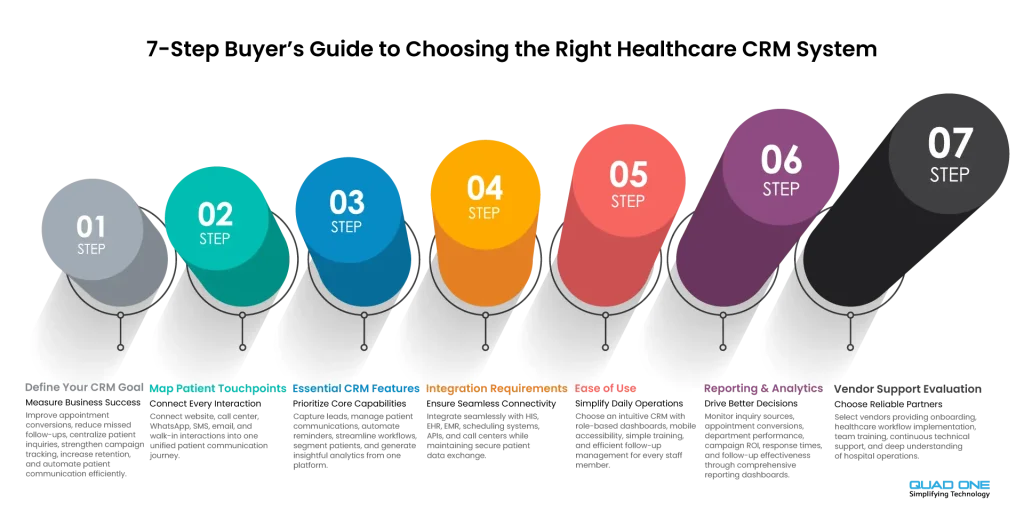
Below is the Buyer’s guide to take it step by step:
Step 1: Define Your CRM Goal
Before selecting any patient relationship management software, clearly define what you want to achieve. A goal-driven approach ensures your CRM delivers measurable results.
Common goals include:
- Improving appointment conversion rates
- Reducing missed follow-ups
- Centralizing patient inquiries
- Improving campaign tracking and visibility
- Increasing patient retention
- Automating patient communication
Step 2: Map Patient Touchpoints
Patients interact with your hospital across multiple channels. Strong patient communication software should unify all these interactions.
Map all patient touchpoints:
- Website
- Call center
- SMS
- Walk-ins
Step 3: Identify Must-Have Features
Understanding essential healthcare CRM features helps you avoid unnecessary complexity and cost.
Key features to look for:
- Lead capture across all channels
- Patient communication management
- Appointment reminders and follow-ups
- Workflow automation
- Patient segmentation
- Reporting and analytics
Step 4: Check Integration Requirements
Modern healthcare CRM platforms should support automation, patient engagement, and intelligent workflows. Healthcare providers should also understand how AI-powered hospital CRM solutions are transforming patient communication and operational efficiency.
Ask:
- Does it integrate with HIS, EHR, or EMR systems?
- Can it connect with appointment scheduling tools?
- Does it support API access?
- Can call center systems and communication tools connect?
- Can data flow securely between systems?
Step 5: Evaluate Ease of Use
A CRM is only effective if your team actually uses it
Check:
- Can front desk teams use it easily?
- Can call center teams manage follow-ups efficiently?
- Are dashboards role-specific?
- Is training simple and quick?
- Is mobile access available?
Step 6: Review Reporting Needs
A strong healthcare CRM system should turn data into actionable insights.
Ensure the CRM can:
- Show inquiry sources
- Track appointment conversion
- Display department-wise performance
- Measure campaign ROI
- Track response time and follow-up performance
Step 7: Compare Vendor Support
Vendor support plays a crucial role in the successful implementation of a healthcare CRM.
Ask:
- Is onboarding included?
- Is healthcare workflow setup supported?
- Is training provided?
- Is ongoing support available?
- Does the vendor understand hospital operations?
Healthcare CRM Software Selection Checklist:
While considering the Healthcare Software Selection, some things have to be in place, like:
- Captures inquiries from all patient channels
- Tracks every patient interaction in one place
- Automates appointment reminders and follow-ups
- Supports WhatsApp, SMS, email, and calls
- Enables patient segmentation by department, location, treatment interest, and status
- Integrates with hospital systems
- Provides role-based access control
- Supports secure patient communication
- Tracks campaign and appointment performance
- Scales across doctors, departments, and locations
- Supports patient retention campaigns
- Integrates seamlessly with website forms, landing pages, and patient portals developed through secure, mobile-friendly healthcare web development services
Healthcare CRM Implementation Checklist
Choosing the right healthcare CRM is only the first step. Successful results depend on how well the CRM is implemented across teams, channels, and workflows.
Before implementation, hospitals should define CRM goals, list all patient inquiry sources, map the patient journey, identify users by department, clean existing patient data, define access permissions, and document integration requirements.
During implementation, teams should configure inquiry workflows, import clean data, connect communication channels, set up appointment reminders, build automation rules, train users, and test reports before going live.
After implementation, hospitals should monitor CRM adoption, response times, appointment conversion, no-show rates, follow-up completion, campaign performance, and staff feedback. CRM implementation should be treated as an ongoing improvement process, not a one-time software setup.
How QuadOne Helps Hospitals Manage Patient Relationships
QuadOne helps hospitals and clinics manage patient relationships across the full engagement lifecycle, from the first inquiry to appointment follow-up and long-term retention.
With healthcare-focused workflows, QuadOne supports patient inquiry management, omnichannel communication, WhatsApp and SMS follow-ups, appointment reminders, patient segmentation, campaign visibility, and workflow automation. This helps hospitals reduce manual tracking, improve response times, and create a more consistent patient communication experience.
For growing hospitals, QuadOne also helps teams move beyond disconnected tools and spreadsheets by creating a centralized system for patient engagement, marketing visibility, and operational follow-up.
Conclusion:
Hospital CRM software brings structure to operations by turning every patient interaction into trackable data. It helps monitor key metrics like inquiry sources, response times, conversions, and follow-ups, enabling better visibility, faster response, and improved staff productivity.
With EHR, EMR, and HIS integrations, a healthcare CRM ensures seamless data flow across departments, reducing duplication and errors while supporting informed decision-making and consistent patient management.
The right CRM isn’t the one with the most features, but the one built for healthcare with patient engagement tools, marketing automation, and communication capabilities that align with your workflows. Start with a clear checklist, define your goals, and choose a solution that fits your real operational needs.